

Linux requirements before you download
SKlauncher is distributed as a universal Java archive for the stable Linux path. That means the file itself is not tied to apt, dnf, pacman or another package manager, but the Java runtime is. Install a 64-bit Java 21 package using your distribution repository or Temurin when the repository does not provide a suitable build.
The first-party page mentions planned Flathub availability but states that it is not currently available. Do not advertise or install a similarly named Flatpak as the official SKlauncher package unless the project publishes and links it.
- Confirm a graphical desktop session is available.
- Run
java -versionand look for version 21. - Keep at least several gigabytes free for Minecraft assets, worlds and mods.
- Use a directory owned by your normal user, not root.
Do not run the launcher with sudo
Running a game launcher as root can create root-owned files in your home directory and increases the effect of mistakes. Fix directory permissions instead.
Run the SKlauncher JAR on Linux
Save the JAR to a stable folder such as ~/Applications/SKlauncher. Verify it with sha256sum SKlauncher-3.2.18.jar, then compare the complete output with the hash above. Start the launcher from a terminal the first time so Java, graphics and permission errors remain visible.
The command is java -jar SKlauncher-3.2.18.jar. If the shell reports that Java is not found, finish the Java installation or correct PATH. If the launcher opens from the terminal but not by double-clicking, the desktop file association is the problem, not the JAR.
Create an application folder
Move the verified JAR into a directory that will not be cleaned with Downloads.
Check SHA-256
Use
sha256sumand compare all 64 hexadecimal characters.Start from a terminal
Run
java -jar SKlauncher-3.2.18.jaras your normal user.Choose profile directories
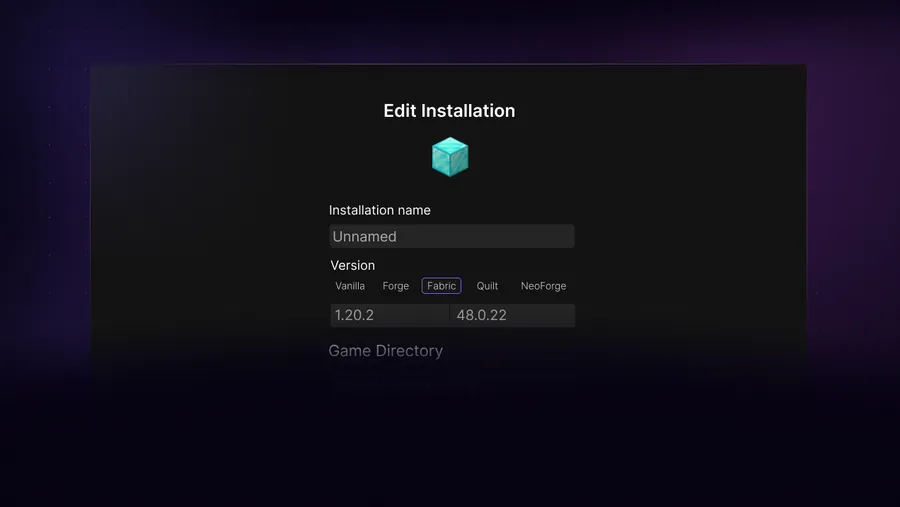
Separate vanilla, Fabric, Forge and modpack files to reduce conflicts.
Create a Linux desktop entry
Once the terminal command works, create a user-level desktop entry that runs the same command. Point Exec to the absolute Java binary or use java -jar with the absolute JAR path. Set Terminal=false for normal use, but keep the terminal command available for troubleshooting.
Desktop environments vary in how they trust locally created launchers. Store the entry under ~/.local/share/applications/, mark it executable when your desktop requires that, and refresh the application database if it does not appear immediately.
| Desktop entry field | Suggested value |
|---|---|
| Name | SKlauncher |
| Exec | java -jar /home/you/Applications/SKlauncher/SKlauncher-3.2.18.jar |
| Type | Application |
| Terminal | false |
Choose a Linux game directory that stays writable
Store Minecraft installations under your home directory or another user-owned data volume. Avoid system directories such as /opt unless permissions are deliberately configured, and avoid removable drives that are mounted with restrictive options. A launcher can open normally yet fail later when it cannot create libraries, logs, native files or worlds.
For modpacks, use one directory per pack and keep the path stable. Cloud-synchronized folders can introduce partial files or lock conflicts while Minecraft is running. If disk space is limited, move a complete inactive profile only after backing it up, then update the path in SKlauncher and confirm that worlds, configs and mods all load from the new location.
Fix common Linux launcher problems
A launcher that closes immediately should be started from a terminal. Read the first meaningful error rather than the final stack trace line. Wrong Java versions, missing graphics libraries, Wayland/X11 issues and directory permissions are more useful leads than reinstalling blindly.
When Minecraft itself fails, distinguish the launcher from the game process. Update GPU drivers through your distribution, confirm the selected Minecraft version supports your graphics stack, and test a clean vanilla profile before adding Forge, Fabric, Sodium or shaders.
If the launcher works from a terminal but not from the desktop menu, inspect the desktop entry's absolute paths and working directory. If it works under one desktop session but not another, compare Wayland and X11 behavior without changing unrelated profile files. Package-manager logs and the launcher log usually provide better evidence than repeatedly replacing the JAR.
Keep the last working Java command and launcher hash in a small text note beside the application folder. When an update changes behavior, that baseline lets you test the old JAR, new JAR and runtime independently instead of changing all three at once.
| Error | Likely area |
|---|---|
| java: command not found | Java installation or PATH |
| Permission denied | File ownership or execute association |
| Blank/crashing game window | GPU driver or OpenGL |
| Mods rejected | Minecraft/loader/mod mismatch |
SKlauncher Linux download verification checklist
The stable SKlauncher Linux download is the universal 3.2.18 JAR, not an apt package, distro-specific installer or currently available first-party Flatpak. Save the JAR in a user-owned application directory, verify its SHA-256, and start it with java -jar from a terminal before creating a desktop entry. That first terminal launch preserves useful Java and graphics errors.
Treat every new SKlauncher Linux download as a separate application update. Keep the previous verified JAR until the replacement opens and launches a clean Minecraft profile. If an SKlauncher Linux download works from Terminal but not from the application menu, repair the desktop entry rather than replacing the file. If only a modpack fails, check its loader, Java runtime, libraries and directory permissions before changing the launcher.
- The SKlauncher Linux download checklist uses Java 21 for the stable JAR.
- The SKlauncher Linux download checklist runs the JAR as a normal user.
- The SKlauncher Linux download checklist verifies absolute desktop-entry paths.
- Keep game directories writable and outside continuously synchronized folders.
Linux download FAQ
Is SKlauncher available on Flathub?
The first-party stable download page says Flathub availability is planned but not currently available. Use the universal JAR.
Which Java does SKlauncher need on Linux?
The first-party page recommends Java 21. Temurin 21 LTS is a suitable cross-distribution option.
Can I install SKlauncher with apt?
No first-party apt repository is listed. Install Java through apt if appropriate, then use the verified universal JAR.
Why should I not run SKlauncher as root?
It can create root-owned game files and gives the launcher unnecessary privileges. Run it as your normal desktop user.
Does the universal JAR include Minecraft?
No. It is the launcher application. Minecraft versions and assets are selected and downloaded through an installation profile subject to applicable account and licensing requirements.
Sources and verification
This guide uses current first-party information checked on July 13, 2026.
First-party SKlauncher downloads Temurin Java 21