
Before installing SKlauncher
Start by choosing the file made for your operating system. Windows users normally choose the Setup EXE, macOS users choose the DMG, and Linux users use the universal JAR. Portable EXE, app ZIP and JAR alternatives are useful when you understand their runtime and file-management differences.
SKlauncher is a launcher rather than a Minecraft license. Microsoft account functions that require ownership still depend on an eligible account. Avoid downloads that bundle the launcher with a cracked game, an account bypass, an Android APK or an unrelated installer.
- Back up existing worlds, screenshots, resource packs and server lists.
- Make sure the device has a 64-bit operating system and current graphics drivers.
- Install Java 21 or confirm
java -versionreports version 21. - Reserve enough disk space for the game, libraries, assets, worlds and future mods.
| System | Recommended SKlauncher file | Runtime check |
|---|---|---|
| Windows 10/11 | Setup EXE | Java 21, PATH and JAVA_HOME |
| macOS | DMG | Java 21 matching Mac architecture |
| Linux | Universal JAR | java -jar works as normal user |
Use first-party files
The homepage links to files on skmedix.pl and publishes the official SHA-256 values. This site does not host a mirror.
Download and verify the installer
Use the platform selector on the homepage and wait for the visible 15-second countdown. The countdown does not alter the file; it gives you time to see the filename and destination host. JavaScript-free browsers can still follow the underlying first-party link.
After the file arrives, calculate its SHA-256 and compare all 64 characters. Windows provides Get-FileHash, macOS provides shasum -a 256, and Linux commonly provides sha256sum. A matching hash confirms the file bytes match the published value; it does not replace sensible account and device security.
Select the platform
Choose Windows, macOS or Linux and read the file comparison before downloading.
Check the hostname
The stable direct file should come from
skmedix.pl.Calculate SHA-256
Compare the full result with the value shown beside the selected file.
Run as a normal user
Do not elevate a JAR with sudo or disable operating-system security globally.
Install Java 21 correctly
The first-party SKlauncher stable download page recommends Temurin Java 21 LTS. On Windows, enable Add to PATH, JAVA_HOME and JavaSoft registry options when the Java installer exposes them. On macOS, match arm64 Java to Apple Silicon or x64 Java to Intel. On Linux, use the distribution package or Temurin and verify the active command.
A system can contain several Java versions. Checking only the list of installed applications is not enough. Open a fresh terminal after installation and run java -version. If the output still shows Java 8, 17 or another release, update PATH or explicitly point the launcher to Java 21.
| Check | Expected result |
|---|---|
| java -version | 21.x runtime |
| Architecture | x64 or arm64 matching the device |
| JAVA_HOME | Java 21 installation directory |
| Launcher log | No unsupported runtime error |
Minecraft may use profile-specific Java
Older Minecraft versions can require older runtimes. Do not confuse the Java used to start SKlauncher with every runtime the launcher may select for a game profile.
Create your first Minecraft installation
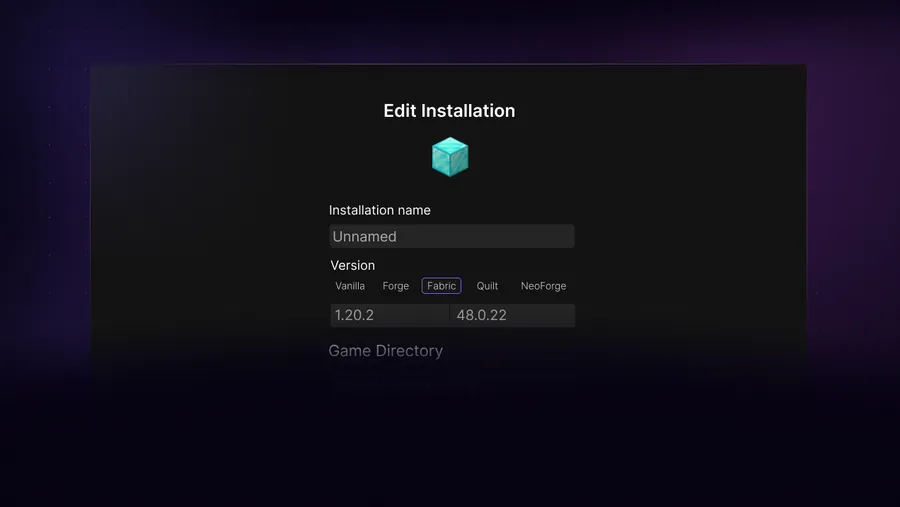
Open the installation manager and begin with a clean, unmodded profile. Select one Minecraft version, give the profile a descriptive name and choose a dedicated game directory. Launch it once so the game assets and configuration files are created before you add a loader.
After vanilla starts successfully, duplicate or create another profile for Fabric, Forge or NeoForge. Match the loader to the game version. Then add only mods that explicitly support that same pair. This staged approach makes failures traceable: if vanilla works and the loader profile fails, the problem is within the loader or added content rather than the base launcher.
Create a vanilla profile
Select the desired Minecraft version and a dedicated directory.
Launch once
Reach the main menu before changing the profile.
Create a modded profile
Choose Fabric, Forge or NeoForge for the exact game version.
Add content gradually
Install a few mods at a time and keep a copy of the last working set.
What to do after installation
Set a sensible memory allocation based on the pack rather than assigning all system RAM. Keep launcher's automatic memory settings for vanilla unless a modpack documents a specific requirement. Excessive allocation can increase garbage-collection pauses and leave the operating system short of memory.
Record the profile directory, Minecraft version, loader version and Java path. Those four details answer most support questions faster than a screenshot of a generic crash dialog. Back up worlds before loader updates, major pack updates or directory moves.
- Use the mods guide for individual JAR files.
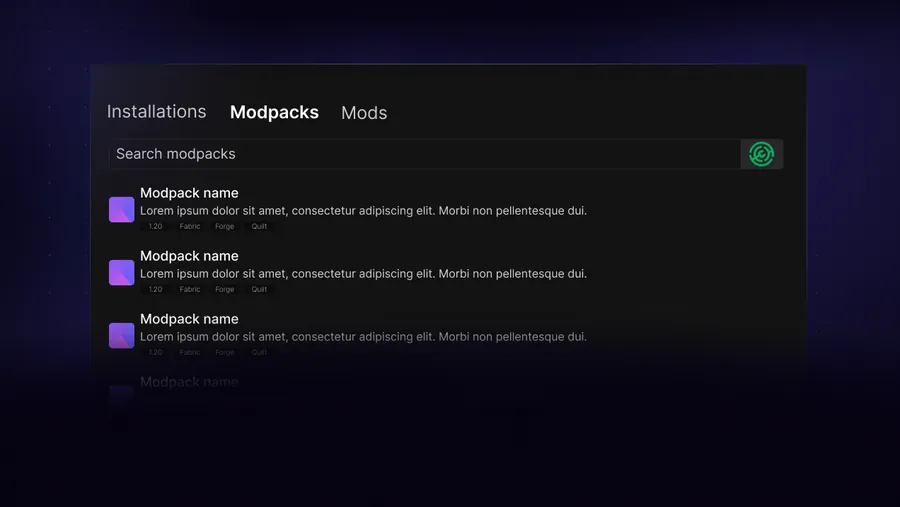
- Use the modpacks guide for complete pack manifests and dependencies.
- Use the shaders guide for Iris or OptiFine rendering paths.
- Use the troubleshooting guide when the browser or launcher remains stuck.
Install SKlauncher with a repeatable setup checklist
The safest way to install SKlauncher is to separate file verification, Java setup and Minecraft profile creation. First choose the platform file, confirm its skmedix.pl source and compare SHA-256. Next install Java 21 and verify the active executable in a new terminal. Only then should you install SKlauncher and create the first vanilla profile.
After you install SKlauncher, launch one unmodified Minecraft version before adding a loader. This confirms that the launcher, account flow, Java runtime, assets and graphics stack work together. Create another directory for Fabric, Forge or NeoForge rather than changing the clean profile. When you later install SKlauncher updates, retain the last working file and profile until the new launcher has completed the same clean test.
- Install SKlauncher safely with checks for the first-party source.
- Install SKlauncher safely with checks for filename and complete checksum.
- Install SKlauncher safely with checks for Java path and game directory.
- Back up worlds before loader, modpack or Minecraft version changes.
SKlauncher installation FAQ
Do I need Java to install SKlauncher?
The first-party stable page recommends Java 21. The universal JAR requires it directly, and the desktop builds may still rely on Java for launcher or game components.
Should I use the installer or JAR?
Use the Setup EXE for the simplest Windows experience. Use the JAR when you intentionally manage Java and want a cross-platform file.
Does SKlauncher install Minecraft automatically?
The launcher downloads the game version and assets selected in an installation profile. Account and licensing requirements still apply.
Where should I put modded profiles?
Use a separate directory for each major loader or modpack so configs, worlds and mods do not mix.
Can I install SKlauncher on Android?
No verified Android APK is listed by the first-party download page. The documented platforms are Windows, macOS and Linux.
Sources and verification
This guide uses current first-party information checked on July 13, 2026.
First-party SKlauncher downloads Temurin Java 21 SKlauncher FAQ