
Choose the right file
Use Setup on Windows for the easiest path, DMG on macOS, or the universal JAR on Linux and systems where Java is already configured.
Download SKlauncher stable version 3.2.18 from verified first-party files. Choose the Windows installer, portable EXE, macOS package or universal JAR, then follow the matching setup guide.
Version, file URLs and checksums matched the first-party SKlauncher download page during this update.
Most PC users should choose the 64-bit Setup installer. The portable EXE runs without a traditional installation. The universal JAR is useful when you already manage Java yourself.
Compare Windows optionsUse the DMG for a familiar macOS installation flow. The ZIP contains the app bundle. Java 21 may still be needed for launcher and Minecraft components, especially when troubleshooting.
Open the macOS guideThe verified stable Linux option is the universal JAR. The first-party site says Flathub availability is planned, so this page does not advertise a package that has not been released.
Open the Linux guideFiles below are hosted on skmedix.pl. A 15-second countdown prevents accidental redirects and shows exactly what is being prepared. Prefer the official download page.
SKlauncher is a cross-platform Minecraft launcher that organizes Minecraft installations, game versions, modloaders, profiles, skins and capes. Stable release 3.2 supports modern modding components including NeoForge, while the separate 4.0 Open Beta advertises integrated Modrinth and CurseForge browsing plus expanded instance management.
The launcher does not replace a Minecraft license. Microsoft sign-in features depend on the account and game ownership requirements set by Microsoft and Mojang. This independent site focuses on verified launcher files, clear setup instructions and practical troubleshooting rather than unofficial game copies or account workarounds.
SKlauncher 3.2.18 is the launcher release. Minecraft 26.1, 26.2 and 1.21.x are game versions selected inside an installation profile. Treating those numbers as the same thing leads to failed searches and the wrong downloads.
Check Minecraft version compatibilityUse Setup on Windows for the easiest path, DMG on macOS, or the universal JAR on Linux and systems where Java is already configured.
The first-party download page recommends Temurin Java 21 LTS. Enable PATH and JAVA_HOME options when available.
Open SKlauncher, choose the Minecraft version and required modloader, set a separate directory when using mods, and let the launcher download the selected game files.
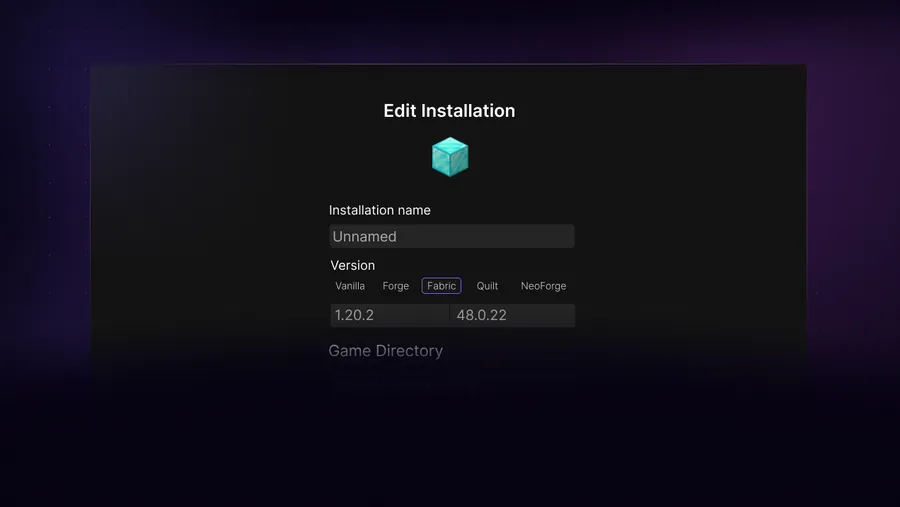
A mod is not installed just because its JAR is inside a folder. The mod, Minecraft version and modloader must agree. Forge, NeoForge and Fabric use different ecosystems, while Sodium normally belongs to Fabric-based installations. Shader support also depends on a compatible renderer such as Iris or an appropriate OptiFine setup.
Use a separate installation directory for every major modpack or loader combination. That keeps configuration files, worlds and conflicting mods from spilling into a clean profile. Back up important worlds before changing a profile that already works.
Installer, portable EXE and universal JAR compared.
Choose a loader, verify versions and place mod files correctly.
Import or build an isolated pack without mixing profiles.
Set up Iris or OptiFine and add shader packs safely.
Resolve loading buttons, blocked scripts and launcher stalls.
Install Java 21 and confirm the launcher uses it.
| Option | Best for | Java | Notes |
|---|---|---|---|
| Windows Setup | Most Windows 10/11 users | Java 21 recommended | Creates a normal installed application |
| Portable EXE | Windows users avoiding installation | Java 21 recommended | Keep the EXE and launcher data organized |
| Universal JAR | Linux and advanced cross-platform use | Java 21 required | Run with java -jar when double-click does not work |
| macOS DMG | Standard macOS installation | Java 21 may be needed | Gatekeeper may require Open Anyway for an unsigned build |
A trustworthy SKlauncher download begins with a clear source and ends with a file you can identify. Confirm that the destination belongs to skmedix.pl, check that the filename includes stable version 3.2.18, and compare the complete SHA-256 with the value beside the selected platform. This process is more useful than a generic safe-download badge because it verifies the exact file you received.
Repeat the SKlauncher download check after changing platforms, switching from Setup to portable EXE, or downloading the universal JAR. The files have different names, sizes and hashes. Keep the verified installer until the launcher opens correctly, then record which Java runtime and game directory are in use before adding Minecraft mods or modpacks.
Select Windows above and choose Windows Setup. After the countdown, run the first-party installer. If Windows shows a reputation warning, confirm the filename and SHA-256 against this page before deciding whether to continue.
The verified Windows files are published under the win-x64 path. This site does not label them as 32-bit compatible. Use a 64-bit Windows system or the universal JAR on a supported Java environment.
No first-party Homebrew formula is listed. Use the verified DMG, app ZIP or universal JAR instead of an unofficial tap that may lag behind or replace the file.
No verified Android APK is offered by the first-party download page. SKlauncher is presented for Windows, macOS and Linux. APK sites using the name should not be treated as official.
Use 3.2.18 when you want the stable line documented here. Test 4.0 Open Beta only when you accept beta bugs and want its newer interface and integrated Modrinth/CurseForge features. Keep beta instances separate from important worlds.
On the official site, disable aggressive script or ad blocking for the page, try a private window, and test another current browser. Our troubleshooting guide also covers DNS, firewall and Java-related launcher stalls.
Minecraft availability is separate from the launcher version. Check the installation manager for the exact game version and loader combination. Do not download a random file named SKlauncher 26.1; that mixes two different version systems.
No. This is an independent guide. The first-party project pages used for verification are skmedix.pl/downloads and sklauncher.pl/download. Download files on this page point to the first-party skmedix.pl host.