
Identify where SKlauncher is stuck
A browser page that says Loading before any file appears is a website or browser-stage problem. An EXE or JAR that opens and then remains on a launcher logo is a launcher-stage problem. A working launcher that stalls while fetching a selected Minecraft version is an installation-stage problem.
Write down the last visible status, filename or percentage. Check whether a new file is appearing in Downloads, whether a Java process starts, and whether the launcher log is changing. Those observations choose the correct branch below.
| Stage | Typical symptom | Primary checks |
|---|---|---|
| Browser | Download button keeps loading | Ad blocker, scripts, private window |
| Launcher | App logo or window never finishes | Java 21, firewall, launcher data |
| Minecraft install | Files stop at a percentage | Network, disk, selected version |
| Game launch | Window closes or crashes | Logs, GPU, loader and mods |
Do not delete everything first
The .minecraft directory can contain worlds, screenshots and resource packs. Back it up before removing any launcher-specific data.
Fix the SKlauncher download button loading forever
The first-party SKlauncher FAQ recommends disabling the ad blocker and trying again. If that does not work, open the official download page in an Incognito, InPrivate or Private window, then test another current browser. The official page prepares its file links with scripts, so strict content blockers and script filters can leave a permanent Loading label.
Allow only what is needed for the first-party page. Do not permanently disable browser protection everywhere. Clear the page's cached files, reload it, and confirm that the address is the official skmedix.pl/downloads page. This site's homepage provides verified first-party direct file URLs behind its own visible countdown, which can bypass a broken dynamic button without using a mirror.
Reload without extensions
Use a private window that does not load optional extensions.
Allow first-party scripts
Temporarily relax blocking only for the verified download page.
Try another browser
Use a current Edge, Chrome or Firefox build.
Use a verified direct file
Select the platform on our homepage and confirm the skmedix.pl destination.
Fix SKlauncher stuck on loading after it opens
Verify Java first. The stable download page recommends Temurin Java 21 LTS. Open a terminal and run java -version; if an older Java is active, update PATH or configure the correct executable. Check whether firewall or antivirus controls are blocking Java rather than disabling them globally.
The official FAQ suggests removing data from other launchers in the shared Minecraft folder or reinstalling the SKlauncher-specific folder when conflicts persist. Treat that as a later step: back up the full directory, inspect the launcher log and remove only the relevant launcher data. Shared folders can contain valuable saves.
Confirm Java 21
Check the active runtime from a fresh terminal.
Read the launcher log
Look for the first connection, permission or Java error.
Check security controls
Allow the verified Java/launcher process rather than disabling protection globally.
Reset specific data
Back up first, then follow the official launcher-folder guidance.
Fix Minecraft versions not appearing or downloading
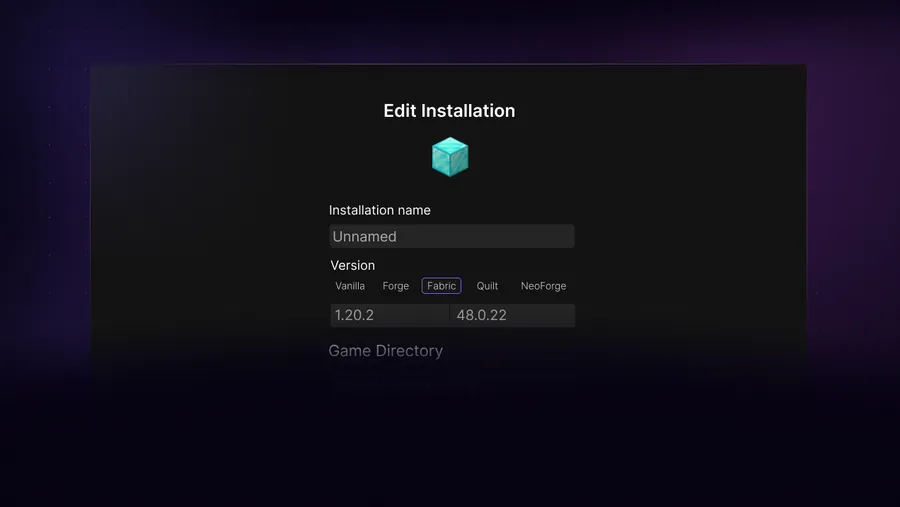
If the installation manager shows no versions, check the launcher log for DNS or network errors. The official FAQ specifically mentions DNS poisoning: scan for malware before changing the hosts file, inspect C:\Windows\System32\drivers\etc\hosts for unwanted entries, and flush DNS only after removing a confirmed bad entry.
Do not copy a random hosts file from a forum. Corporate, school and family networks can intentionally filter game or file hosts. Test another trusted network when possible. Also confirm system date and time, free disk space and write permission to the selected game directory.
- Scan the device before editing DNS or hosts settings.
- Check system date, TLS interception and network filtering.
- Try a clean vanilla installation before a modloader profile.
- Use a new empty game directory to rule out damaged partial files.
Minecraft 26.1 is not SKlauncher 26.1
The launcher release is 3.2.18. Minecraft 26.1/26.2 are game versions requested from the installation manager.
Why SKlauncher downloads Minecraft slowly
Minecraft installation speed depends on many small assets and libraries, not only one large file. Antivirus scanning, Wi-Fi packet loss, DNS delays, disk contention and a distant content host can make progress appear uneven. Watch actual network and disk activity before assuming the process is frozen.
Pause other large transfers, use wired or stable Wi-Fi, keep enough free disk space and avoid placing a heavily modded profile in a continuously synchronized cloud folder. If one version repeatedly fails at the same file, capture the URL or filename from the log instead of restarting the complete installation without evidence.
| Signal | Meaning |
|---|---|
| Network active, disk active | Likely still progressing |
| Same file fails repeatedly | Host, TLS or cached partial file issue |
| Only modded profile fails | Loader/mod dependency issue |
| All Java downloads fail | Java process blocked or network filtered |
SKlauncher download stuck diagnostic checklist
When an SKlauncher download stuck message appears, identify the stage before changing files. A browser button stuck on Loading points to scripts, content blocking or the browser session. A launcher window stuck after opening points to Java 21, security controls or launcher data. A Minecraft installation stuck at a percentage points to network, disk, metadata or one repeated asset request.
Use the same order whenever an SKlauncher download stuck problem returns: record the visible status, check the log, verify network and disk activity, and change one variable. If the SKlauncher download stuck state is limited to the official web button, try a private window or the verified first-party direct links. If the SKlauncher download stuck state occurs inside one modded profile, test clean vanilla before deleting shared data. Back up .minecraft before any launcher-specific reset.
- For SKlauncher download stuck in a browser, test without optional extensions.
- For SKlauncher download stuck at startup, verify the active Java 21 path.
- For SKlauncher download stuck on one file, capture that filename from the log.
- For SKlauncher download stuck only with mods, restore the last working set.
- Never solve an SKlauncher download stuck issue by deleting unbacked worlds.
SKlauncher loading FAQ
Why is the SKlauncher download button not loading?
The official page builds links with scripts. Disable blocking for that page, try a private window and test another browser, as the official FAQ recommends.
Why does SKlauncher stay on its loading screen?
Check Java 21, firewall/antivirus controls, launcher logs and conflicting launcher-specific data. Back up .minecraft before deleting anything.
Why is Minecraft downloading slowly?
Many small assets, network latency, security scanning and disk activity can make progress uneven. Inspect logs and activity before restarting.
Why are no Minecraft versions listed?
Check network and DNS errors, system time and launcher logs. Scan for malware before editing the hosts file or flushing DNS.
Does an ad blocker prevent SKlauncher downloads?
It can block the scripts used by the official download page. Allow the first-party page temporarily or use the verified direct links on this site.
Sources and verification
This guide uses current first-party information checked on July 13, 2026.
Official SKlauncher FAQ First-party SKlauncher downloads Temurin Java 21